
Smarter Data Selection.
Cleaner CRM Records.
Zero Data Entry Errors.
Picklist Dependencies enforce logical field relationships in your real estate CRM, ensuring accurate and relevant data across enquiries, properties, and deals. They reduce data errors, standardize entries across teams, and keep R2 records clean for reliable reporting and decision-making.

Accurate Real Estate Data Powered by Intelligent Field Logic for CRM Data
Picklist Dependencies dynamically control R2 field options, showing only valid, context-relevant choices to prevent incorrect entries and maintain data integrity.

About This Feature
Picklist Dependencies embed intelligent field relationships into real estate workflows, guiding users to correct selections and eliminating inconsistent data and rework.

What Makes Picklist Dependencies
Essential for Real Estate

Error-Free Data Entry
Prevents invalid combinations across property types, locations, budgets, and buyer preferences.
Standardized R2 Records
Ensures uniform data capture across agents, projects, branches, and channels.
Faster Data Capture
Reduces dropdown clutter and speeds up lead creation, site visit updates, and deal progression.
Reliable Reporting and Analytics
Clean, structured data enables accurate dashboards, forecasts, and performance insights.
Error-Free Data Entry
Prevents invalid combinations across property types, locations, budgets, and buyer preferences.
Error-Free Data Entry
Prevents invalid combinations across property types, locations, budgets, and buyer preferences.
Standardized R2 Records
Ensures uniform data capture across agents, projects, branches, and channels.
Faster Data Capture
Reduces dropdown clutter and speeds up lead creation, site visit updates, and deal progression.
Reliable Reporting and Analytics
Clean, structured data enables accurate dashboards, forecasts, and performance insights.
Real-Life Scenario for a Real
Estate Sales Team
Without Picklist Dependencies, incorrect sub-types or mismatched locations are often selected.
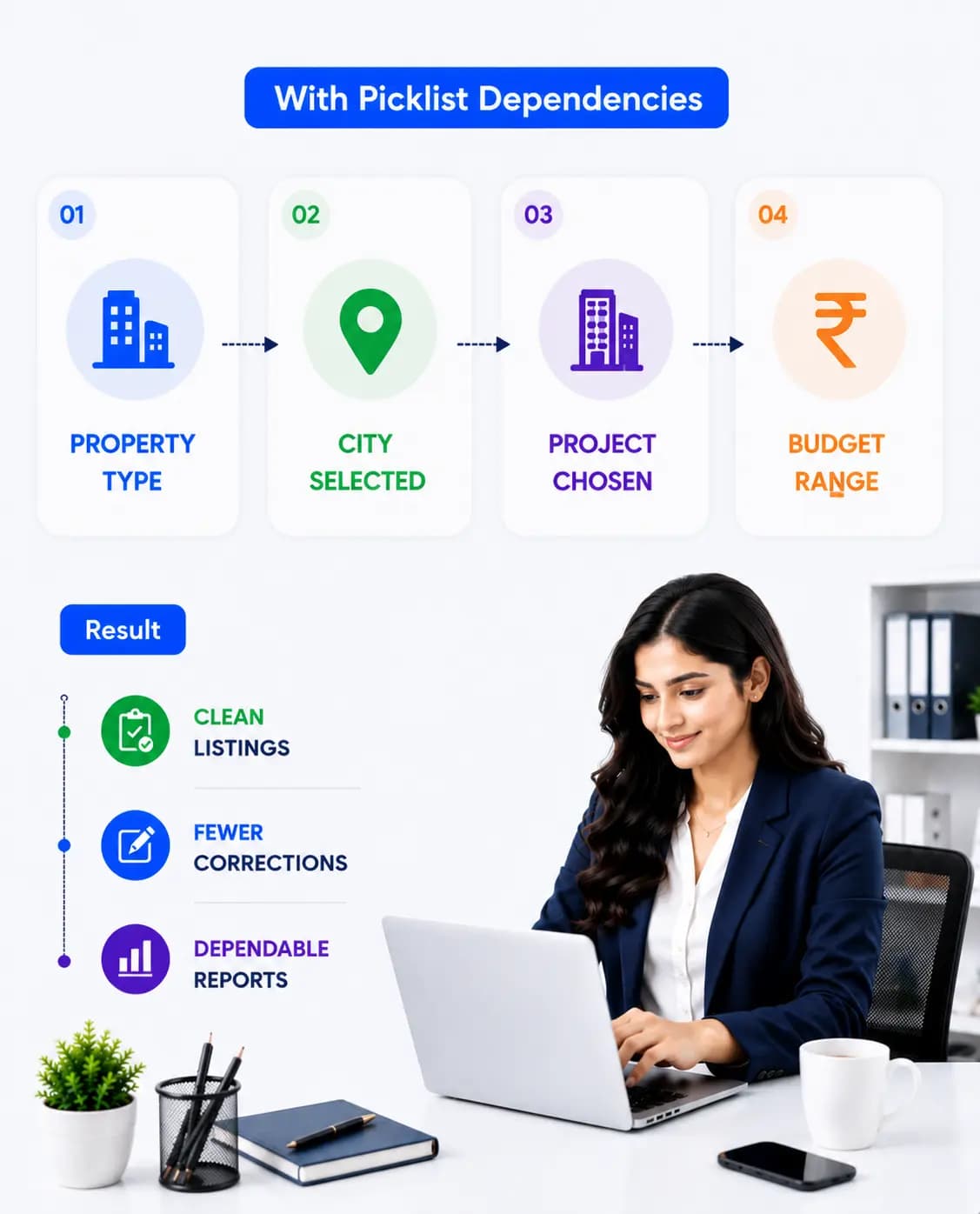
 With Picklist Dependencies:
Selecting Property Type automatically filters valid Sub-Types.
Choosing a city shows only relevant Locations and Projects.
Selecting Project limits available for Units and Configurations.
Choosing Budget Range filters suitable Property Options.
Result:
Clean listings, fewer corrections, and dependable inventory and sales reports.
Proven Business Impact
Higher R2 Data Accuracy
Reduced Manual Data Cleaning
Faster Sales Operations
Consistent Reporting Metrics
Scalable Across Large Project Portfolios
Higher R2 Data Accuracy
Reduced Manual Data Cleaning
Faster Sales Operations
Consistent Reporting Metrics
Scalable Across Large Project Portfolios

Upgrade Your Real Estate Data Quality
with Picklist Dependencies
Eliminate data errors, enforce consistency, and ensure every record is accurate
from the start automatically.